Issue:
The Conqueror submode within Crucible co-op appears to display incorrect information regarding its availability and Mutators.
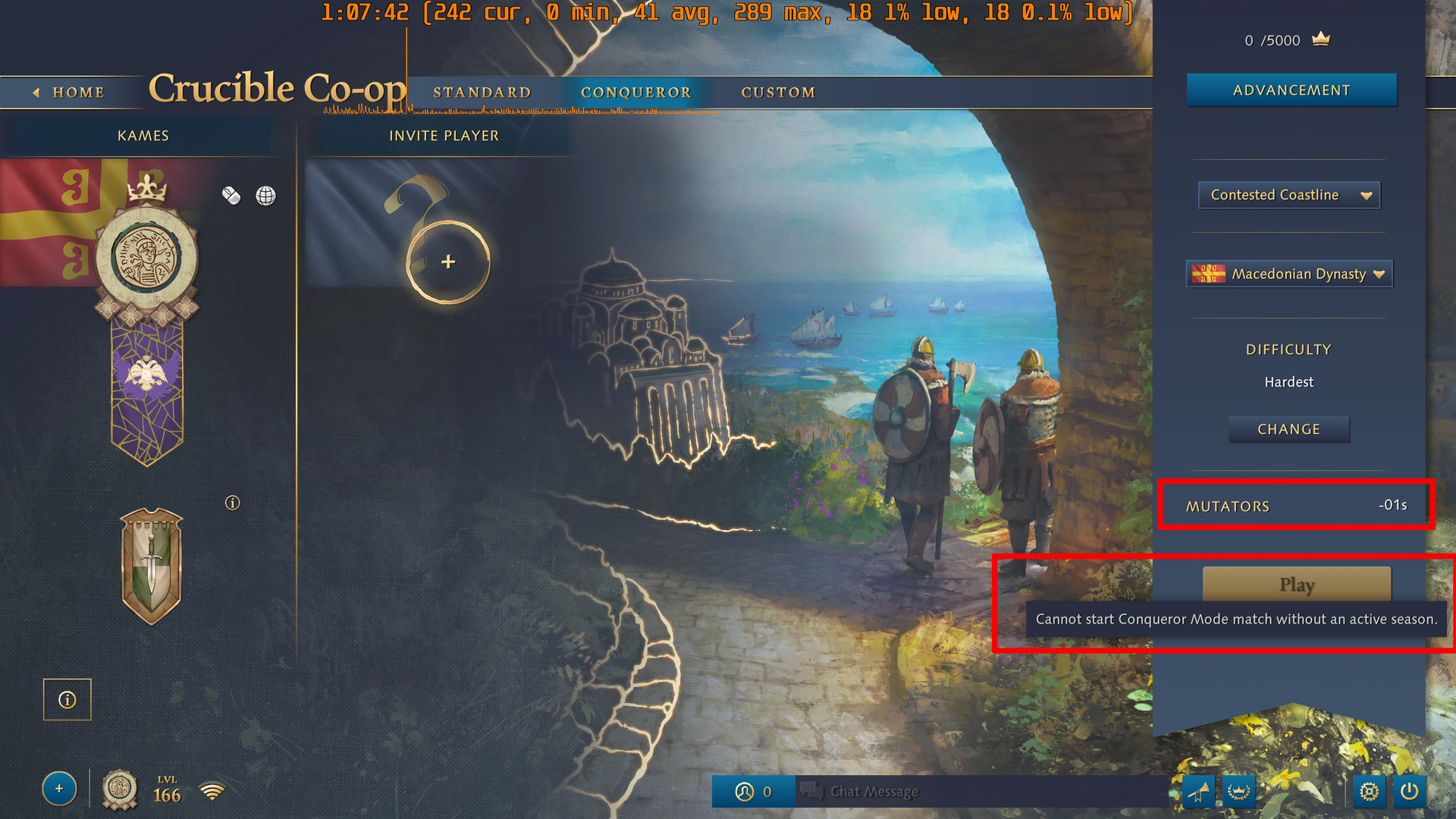
The Play button is greyed out, and hovering over it displays the following message: “Cannot start Conqueror Mode match mode without an active season.”
However, I checked the multiplayer Ranked mode, and there appears to be an active season currently.
Additionally, the Mutators section displays “-01s” instead of the expected information.
According to the patch notes, Quick Match is only available in Standard Mode, while Conqueror and Custom Mode require a second player in the lobby. The Custom Play button explicitly indicates that an ally is required, but the Conqueror Play button displays the inactive season message instead.
I haven’t been able to verify whether Conqueror Mode becomes available with a second player in the lobby, but the incorrect Mutators display and the potentially misleading season message still seem worth investigating.
Trigger Event:
Accessing the Conqueror tab in Crucible co-op.
Repro Steps:
- Boot the game and go to Crucible co-op.
- Select the Conqueror tab.
- Hover over the greyed-out Play button and observe the displayed message.
- Observe the Mutators section, which displays “-01s”.
Expected Result:
The Mutators section should display the correct information instead of “-01s”.
If Conqueror Mode requires a second player in the lobby, the Play button should clearly communicate this requirement rather than displaying a message stating that there is no active season, especially when a Ranked season is currently active.