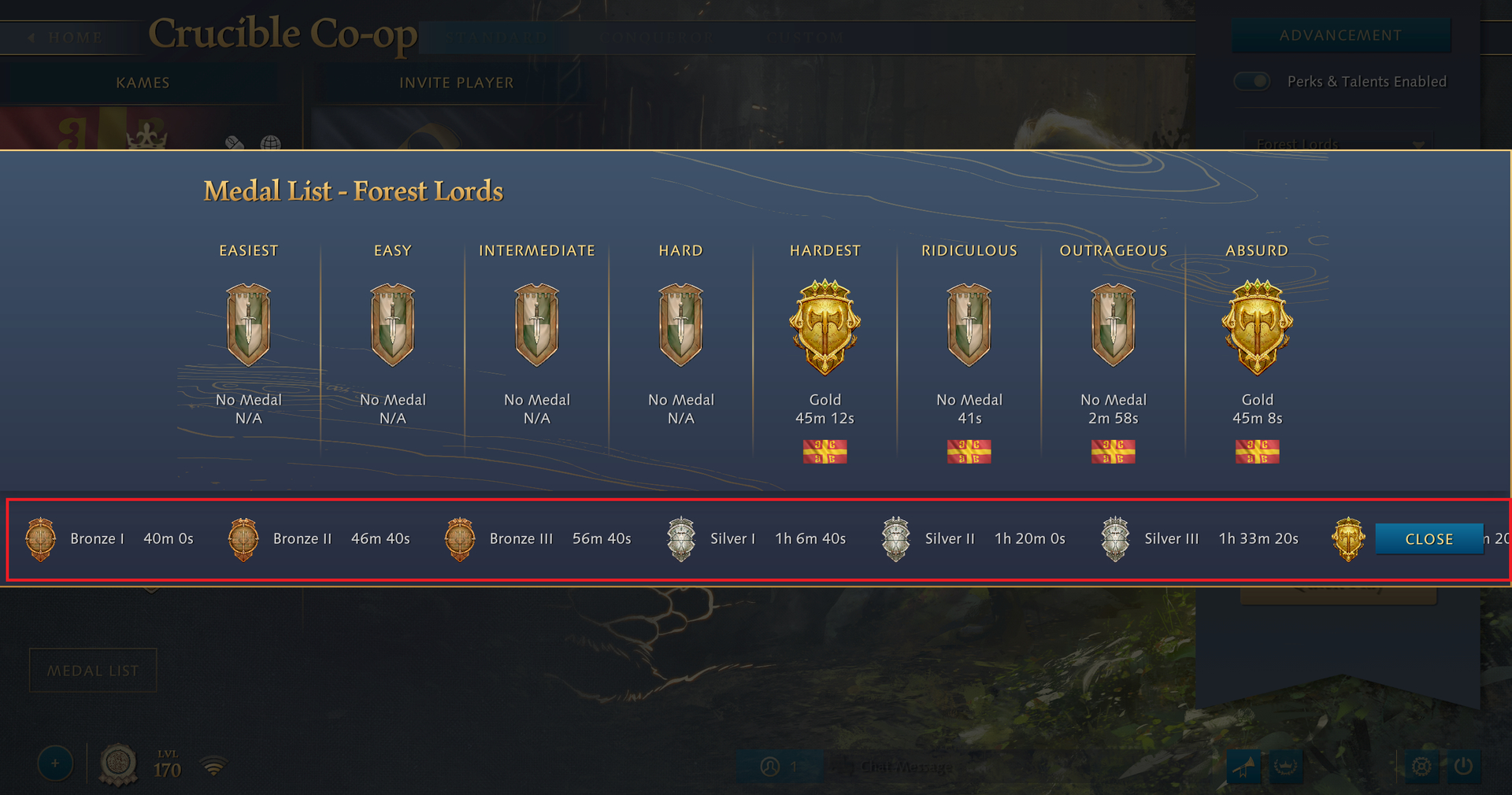
Issue:
The Medal List in Crucible Co-op displays incorrect medal tiers after selecting the Custom tab in The Crucible.
Instead of displaying the normal Bronze, Silver, and Gold medal tiers, the list displays ranked divisions such as Bronze I, Bronze II, Bronze III, Silver I, Silver II, and Silver III, along with their respective completion times.
This appears to be related to the Custom tab remaining selected in The Crucible after exiting the mode and entering Crucible Co-op. The issue persists until returning to The Crucible and selecting a different tab, after which the Medal List in Crucible Co-op displays the correct medal tiers again.
Trigger Event:
Opening the Medal List in Crucible Co-op after previously selecting the Custom tab in The Crucible.
Repro Steps:
- Boot the game.
- Wait for the main menu to load.
- Select The Crucible from the main menu.
- Wait for the lobby to load.
- Select the Custom tab.
- Return to the main menu.
- Select Crucible Co-op from the main menu.
- Wait for the lobby to load.
- Open the Medal List.
- Observe that the normal Bronze, Silver, and Gold medal tiers have been replaced by ranked divisions (Bronze I, Bronze II, Bronze III, Silver I, Silver II, Silver III, etc.) with their respective completion times.
- Return to the main menu and enter The Crucible again.
- Select a different tab, such as Standard or Conqueror.
- Exit The Crucible and return to Crucible Co-op.
- Open the Medal List again and observe that the normal medal tiers are displayed correctly.
Expected Result:
The Medal List in Crucible Co-op should always display the correct Bronze, Silver, and Gold medal tiers, regardless of which tab was previously selected in The Crucible. UI selections from one mode should not affect the Medal List displayed in the other mode.