Yeah! You bet. More specifically, the Black_Forest.rms file in HD is located in this folder (or wherever your HD install location is):
C:\Program Files (x86)\Steam\steamapps\common\Age2HD\resources\_common\drs\gamedata_x2
And you would copy/paste it to DE here (or wherever your DE install folder is). You maybe should rename the file here to “Black_Forest_HD” or something, too.
C:\Program Files (x86)\Steam\steamapps\common\AoE2DE\resources\_common\random-map-scripts
Looks like it works! Here is my test in DE after bringing the map from HD to DE:
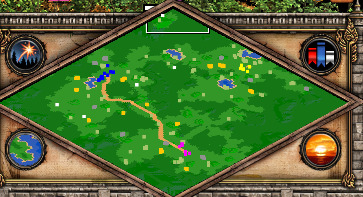
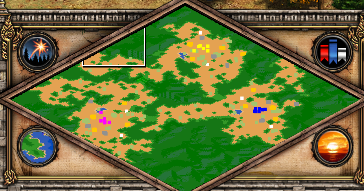
And, wow, yeah – the new version lacks a lot of the character and charm of the old version. Here is new version, as you know, but putting it here for comparison to HD’s version above:
To find the map once you’ve copied it to DE, it is found here:

Agreed! I don’t like the tan terrain and mini-map that sometimes happens, even with the terrain is still grassy. Even the DE’s map thumbnail on the selection screen before map begins rightfully shows ‘green’, ‘roads’, and ‘water’ that the new map sometimes lacks.
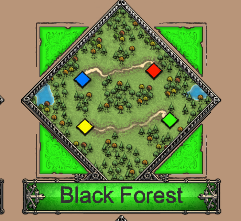
Note: I’ve seen the tan color used in mini-map for mostly greenish grass maps and filed bug report the other day: Arabia mini-map ground color not matching grassy terrain color. The BF map itself should always have lush green grass in the viewport, imo, but even if it sometimes has yellowy grass, it should still be green mini-map and not sand tan. If BF now has rotating biomes like they did Arabia and it is deserty sometimes, then that’s when it should be tan. (I like that Arabia is sometimes grass, for example.)