hello, I have a problem of almost full cloud capacity. is there a way to fix it, somehow delete saves from cloud? I deleted saved games from “replays” option, but no difference.
probably important - I have AoE2 from Microsoft Store so I operate it through XBOX profile, not by Steam.
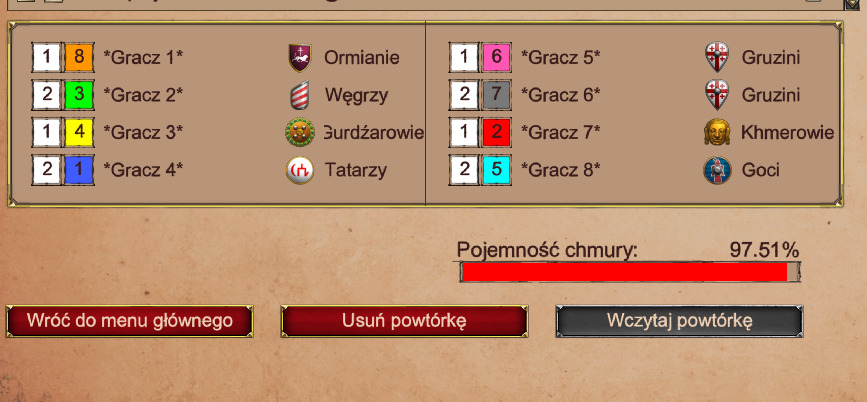
Unfortunately, there’s not much you can do. Some files are stored in the cloud and aren’t visible through the game client or in the standard folders (User/Game or InstallDir), this appears to be an oversight by the developers.
I ran into the same issue on Steam. When I visited
https://store.steampowered.com/account/remotestorageapp/?appid=813780
I found numerous files kept in the cloud that had never been downloaded to any AoE2 game folder and don’t show up in the game client.
Fortunately, there’s a third-party tool for Steam:
https://github.com/GMMan/SteamCloudFileManagerLite
(see also https://github.com/GMMan/SteamCloudFileManagerLite/issues/23)
It lets you manually delete those unwanted cloud files.
I suspect the Microsoft/Xbox version works the same way: Junk files get stuck in the Microsoft Cloud without ever syncing locally, and there’s no built-in way to remove them. Sadly, I don’t know how to access the Xbox/Microsoft Store cloud storage to clean it up.
I think you can clear most of the data in-game. (It’s just about going to the correct menus.) There are at least 2 menus that you need to access to delete most of the data IIRC. (some you have to check a click box to show.) The main one being “Load Game” and the other “Restore MP Game” IIRC.
edit: make sure you click those checkboxes and check the “Replay” and “Saved Games” tabs.
edit: “Restore MP Game” does control a significant amount of data fyi.
edit: After doing so, I got it to 0.02% (Not sure what is missing though. Probably configure files for shortcut keys/player data.)
edit: Just note that this replay data ‘could’ be useful for debugging purposes via sending in to the devs. (So, don’t delete unless you really want/need to.)
edit: oh xbox. I dunno if those options are available to you… try and see if they are. If not, dunno what to say sorry.
You’re right, there are many places where files can hide, and for Return of Rome you even need to check its specific menus if you own it. If you’re lucky, you’ll find everything and can delete it, but in my case I deleted everything in-game and my cloud was still 90 % full. The reason were old autosaves that didn’t exist anywhere in the game or on my hard drive (aside from the clouds temp folder); they only lived in the cloud.
So first, try to remove or back up most of your old files elsewhere.
FYI, most cloud saves live in:
C:/Users/<User>/Games/Age of Empires 2 DE/<some-long-number>/savegame
There’s also a profile folder containing your settings, hotkeys, and campaign completions.