Issue:
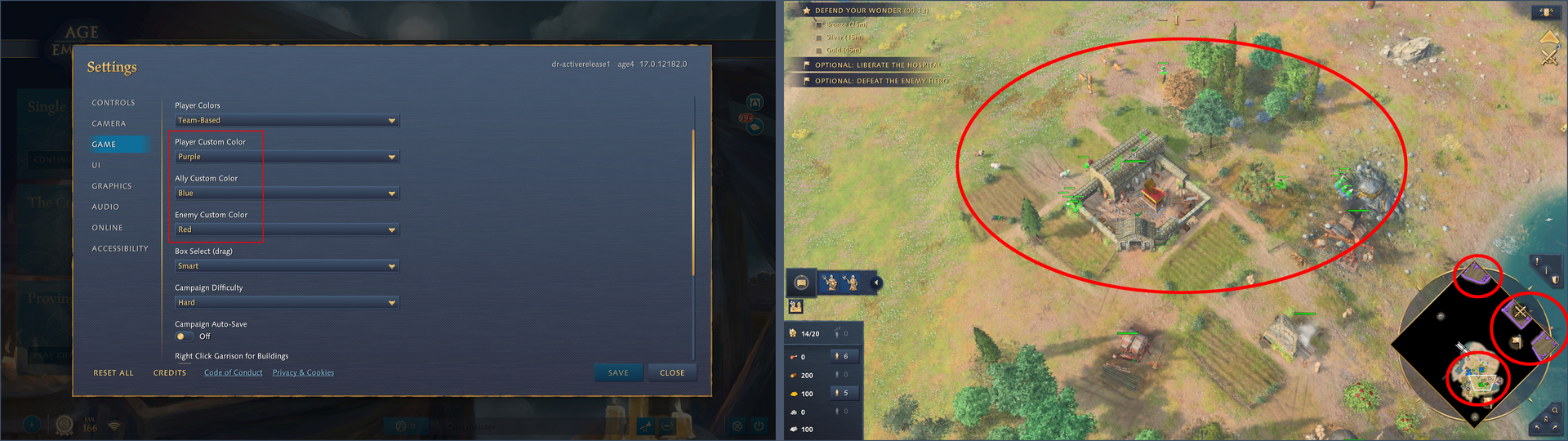
Colors set under the new Custom Colors option in the game settings have no effect in Crucible mode, either solo or co-op. Player #1 is always blue, while Player #2 is green. The enemy’s color depends on the civilization.
While it makes more sense for certain civilizations to have a static color, such as the Byzantines being purple, since custom colors have recently been added, it would be nice to benefit from them in Crucible mode as well. It can get repetitive and tiring to play with the same color over and over, especially since there is no option to choose a color before the game starts.
Trigger Event:
Starting a solo or co-op Crucible game with custom colors configured in the game settings.
Repro Steps:
- Boot the game, go to the game settings, and set custom colors for yourself, your ally, and the enemy.
- Enter a solo or co-op Crucible game.
- Observe the colors assigned to each player in the game.
Expected Result:
The custom colors configured in the game settings should be respected in Crucible games.