If you add screenshots to your post, it sometimes doesn’t show them in the window where you’re composing your message. Just shows as blank.
When you edit your post, the screenshots again do not appear, which makes it hard to add captions or explanation text above multiple images you’ve added. You have to try and figure out where images are by moving the cursor around.
I sense some font changes occurred. Not a fan.
Also, is the window to author your message more narrow now? Seems like it. Even if not and it’s just an optical illusion, I wish it was wider or we had an option to make it wider. Feels constraining/confining now. Should be at least the width of the forum, or 90%-95% of it, imo. Instead it’s like 60% its width… which turns out is only 33% the width of my monitor because the forum is so narrow. It’s like trying to compose posts while looking through a paper tube.
What a ton of wasted screen real estate:
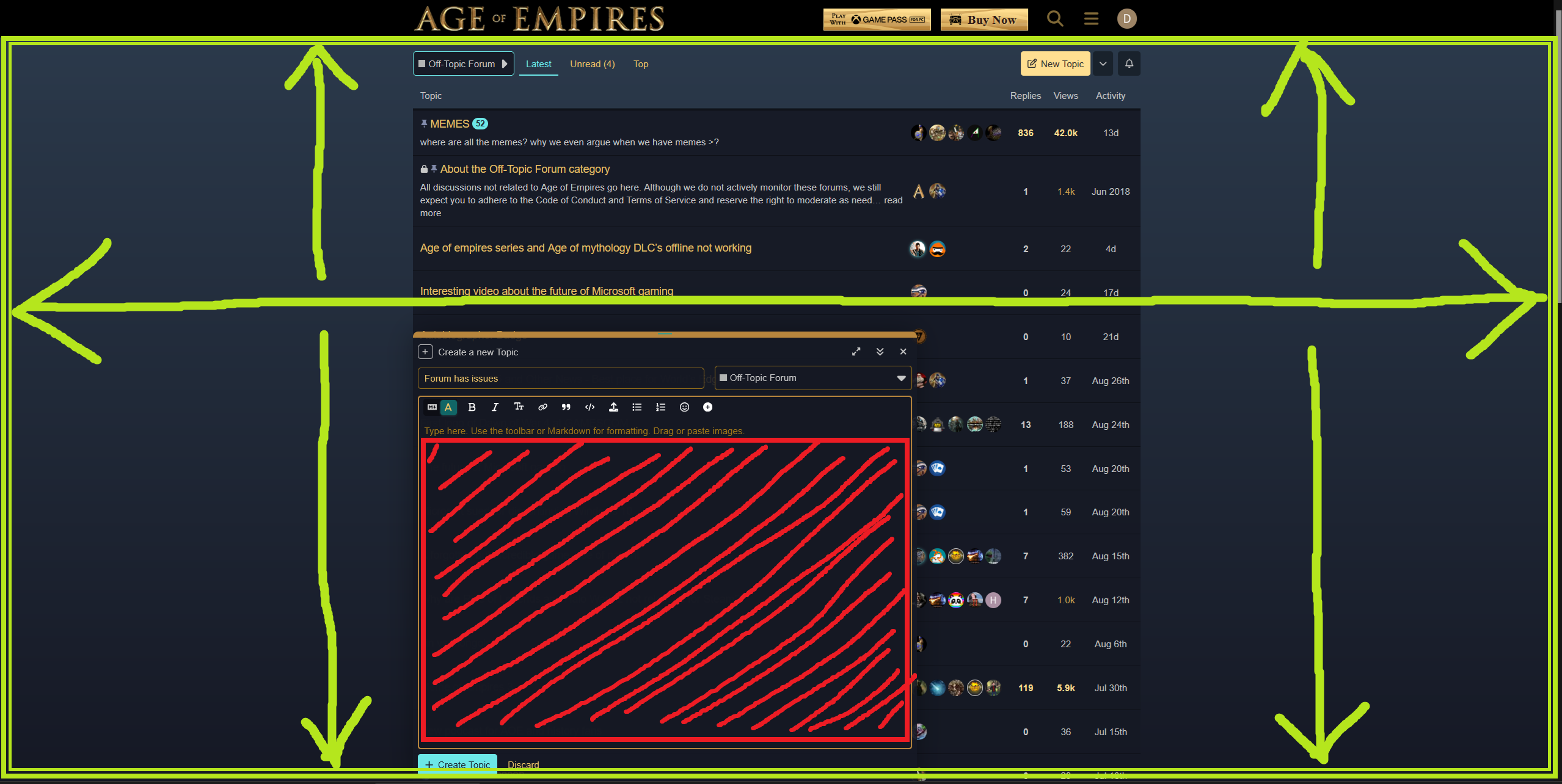
And the menu icons are missing (again? pretty sure this happened before):
Maybe in our personal forum settings screen we could get some customization options for font choice, forum width, and composition window size someday. One-size-fits-all implementations and strategies are a little frustrating for technical or power users