 GAME INFORMATION
- GAME BUILD #: 101.101.51737.0 7126076
- GAME PLATFORM: Steam
- OPERATING SYSTEM: Windows 10
ISSUE EXPERIENCED
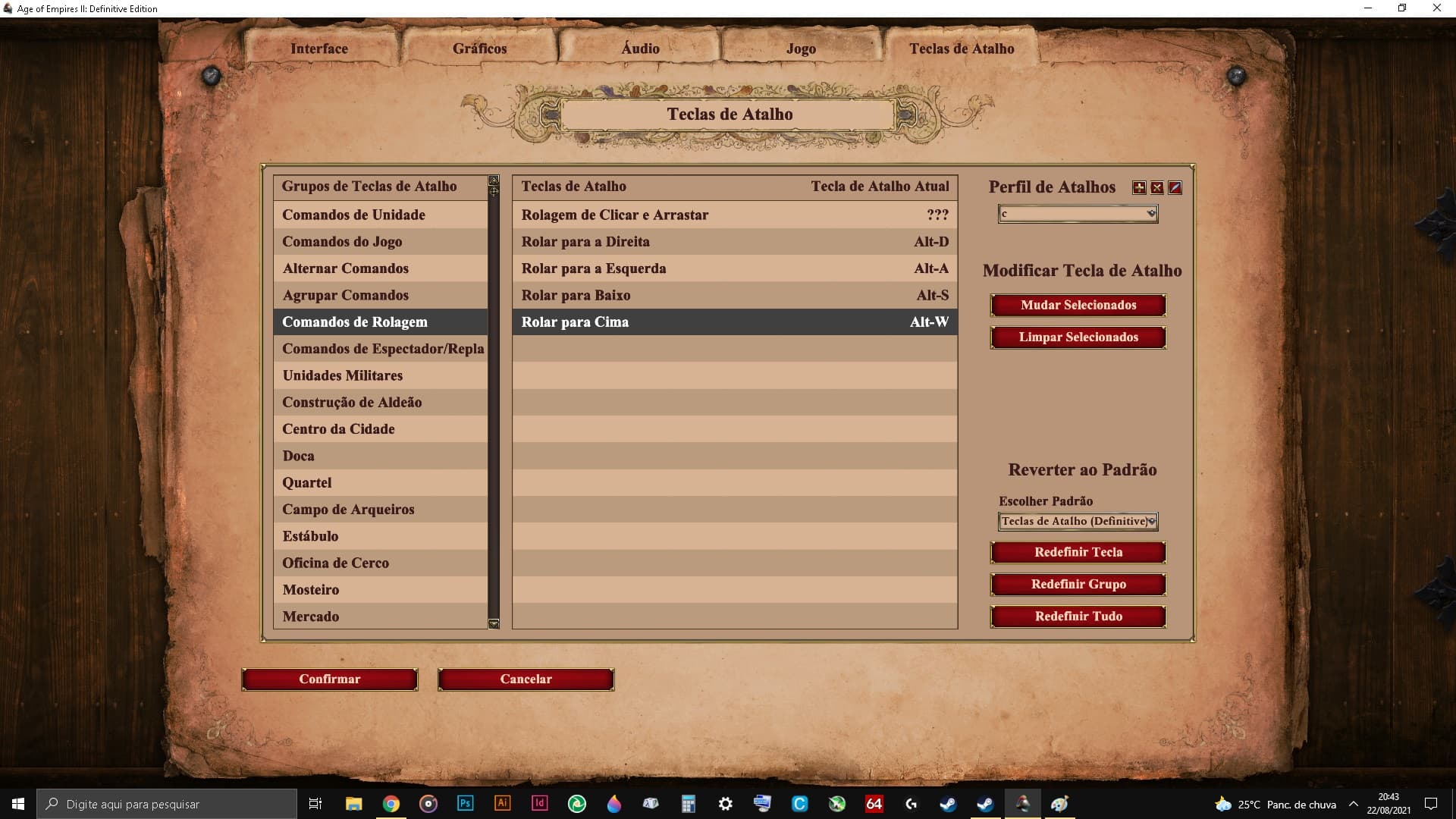
When I associate the scroll command hotkeys with Alt + A, Alt + S, Alt + D and Alt + W (to scroll left, down, right and up respectively), it scrolls the screen also with A, S, D and W, instead of just using the key Alt pressed.
The problem is that I already use A, S, D and W for other functions, so I would like the screen scrolling to only occur when I hold Alt. Scrolling occurs both holding Alt and not holding it.
FREQUENCY OF ISSUE
- 100% of the time / matches I play (ALWAYS)
REPRODUCTION STEPS
Here’s the steps to reproduce the issue:
- I put the scroll command on the Alt + A key, to scroll left;
- I put the scroll command on the Alt + S key, to scroll down;
- I put the scroll command on the Alt + D key, to scroll right;
- I put the scroll command on the Alt + W key, to scroll up;
- So in the game, in addition to scrolling the screen with the keys Alt + A, Alt + S, Alt + D and Alt + W, the screen is also scrolled with the keys A, S, D and W instead of just working with the keys I placed earlier.
EXPECTED RESULT
Therefore, in the game, the screen should only scroll with the keys Alt + A, Alt + S, Alt + D and Alt + W. And in case I only press the keys A, S, D and W, without Alt, no scroll the screen.
IMAGE
attached
GAME FILES (SAVE / RECORDING)
attached
SP Replay v101.101.51737.0 @2021.08.22 204729.aoe2record (569.3 KB)