LAN Lobbies not visible

:play_button: GAME INFORMATION

:backhand_index_pointing_down: These details are CRITICAL; DO NOT skip them or your issue may not be reviewed.

  • GAME BUILD #: #141935
  • GAME PLATFORM: Microsoft Store
  • OPERATING SYSTEM: Windows 11

:play_button: ISSUE EXPERIENCED

Other players on my local network cannot see my LAN lobby and cannot join it. If I switch to an external server such as uswest3, other players can see my lobby.

:play_button: FREQUENCY OF ISSUE

  • 100% of the time / matches I play (ALWAYS)

:play_button: REPRODUCTION STEPS

Here’s the steps to reproduce the issue:

  1. Launch AoE II DE from Microsoft Store
  2. Host Lobby, select "Multiplayer > Host Game > Server: User Local Lan Server
  3. Launch other AoE II DE clients on other machines on my local LAN.
  4. Select Multiplayer > Find Custom Game and search for lobby, but never see it.

:play_button: EXPECTED RESULT

:backhand_index_pointing_down: What was SUPPOSED to happen if the bug you encountered were not present?
Other LAN players would see my LAN-based lobby, and join the lobby.

:play_button: IMAGE

:backhand_index_pointing_down: ALWAYS attach a PICTURE (.jpg, .png, .gif) or VIDEO (.mp4, YouTube link) that highlights the problem.
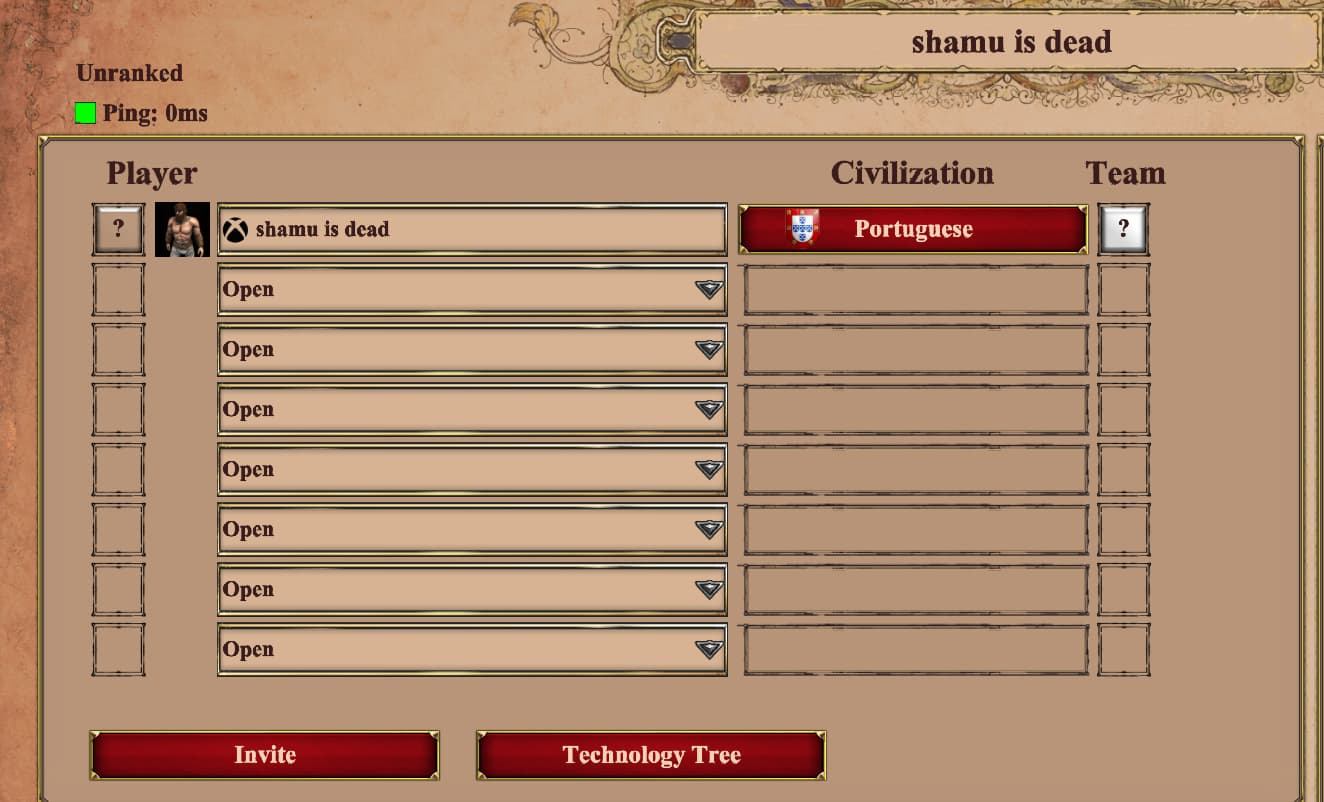

A few other notes about my setup:

-Mix of Windows 10 and Windows 11 machines, latest Windows updates applied as of this writing.
-All using the latest AOE II DE version: 101.103.2359.0 (#133431)
-Most clients on Steam, one on Xbox PC
-I’ve done this for all machines involved: https://support.ageofempires.com/hc/en-us/articles/360048249391-I-m-having-trouble-connecting-to-a-LAN-match-with-my-friends and this https://support.ageofempires.com/hc/en-us/articles/4406345438484-I-am-getting-disconnected-from-multiplayer-games
-My network is made up of Amazon Eero devices. All machines on the network can ping each other.
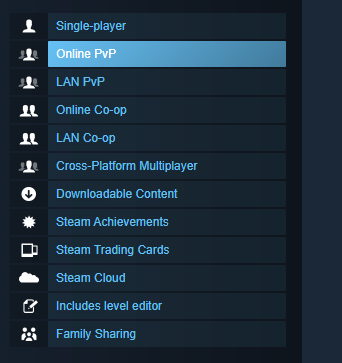
Bump. LAN does not work at all. I don’t think my setup is terribly unique. Is it working for ANYONE else right now?


It is advertised. :smiley:

anyways, when we last treid in 2023 it didnt work. Many raised incidents to devs but no fix ..

2 Likes

Bump. This has been broken for some time and I hope the devs are reading this and have an eventual plan to fix it before the game stops receiving updates. **

Bump. This is still an issue for me and no one else has confirmed LAN play works for them.

I had the same problem, my friend and I couldn’t even finish a game smoothly.
The official servers are extremely high latency and laggy, why can’t they let us establish a peer-to-peer network connection?
It’s just a custom game and we don’t want to play ranked games, do we have to be made to have a bad time?
Being an old game and not very cheap, I didn’t get the relative gameplay experience even though I bought all the DLCs.

1 Like

Bump. I’ve also been wondering about the advertised “LAN” tournament that took place in November and December last year. The title described it as a LAN tournament, but was that not LAN play in the literal sense if this feature has been broken all this time? Noble Apartment Cup LAN Tournament

+1 for also not being able to host a local LAN lobby.
What more information can we provide to assist the Devs in troubleshooting this?

I just updated to #143421 and other LAN players can see my LAN lobby now!! I was able to start a game and play successfully with other players on my LAN. Nothing else changed on my config described above aside from updating the game version.

However, it still seems a little unstable. When I end a game, clients who try to join a new recreated LAN lobby cannot see the lobby again. The workaround is for clients to quit and restart AoEIIDE, and then the LAN lobby can be seen again by the clients.

Whoever is following this thread, can you please test and confirm?

Hi @shamuisdead

I am testing LAN lobby, and I can´t reproduce the issue you mentioned. In my test, I was able to start 4 LAN matches in a row (without restarting the game).

Did your clients have an issue seeing the lobby, or was the issue when you were inviting them? And what happens if the game is hosted by another player after the first one finishes?

@IvanHCastro first of all, THANK YOU for taking the time to review and respond on these forums! I’m trying to reproduce the invisible lobby issue, and can’t get a reliable repro as of this latest update. I started a game this morning with 1 LAN host and 3 LAN clients and they’re all able to connect to the lobby, drop from the lobby, and see the lobby again + rejoin. I will definitely reply back if the issue returns.

2 Likes

Great news!

Let me know if you find this issue again, or what can be causing it.

1 Like

The invisible LAN lobby issue has returned as of #144358, but I have a more narrow scope now… attn @IvanHCastro

I tried hosting a game today on LAN from the Xbox App/Win11 machine, and none of 3 the other LAN clients (all Steam/Win10) could see the lobby. It worked near perfectly for a few glorious weeks on version #143421 where the Xbox App/Win 11 machine lobbies could be readily seen by the other machines.

*However, * if I host the game on a Steam/Win10 machine, the lobby can be seen by all the other Steam/Win10 machines along with the Xbox App/Win11 machine. Nothing in my setup has changed aside from the version of the game updating. Hopefully this is helpful information for further investigation!


As of #145651 it WORKS again: I can host a LAN game from my Win 11 machine and the Win 10 machines can see it and join the lobby. I have still not changed anything from a firewall or network setup perspective on any of my machines aside from updating the game version.

Fingers crossed that the fix sticks this time! But the irony is that Win 10 is losing support in 4 months anyways so I’ll need to upgrade the older machines.

Broken again on #147949. Win 11 cannot host a visible LAN lobby, but the Win 10 machines can host LAN lobbies that can be seen by both Win 11 and Win 10 machines.