 GAME INFORMATION
GAME BUILD #: 101.103.48987.0 (#180059) — macOS build 1.1.2 (1.1.2RC1, Dev ID 478570, Data ID 190803, Build ID 102902)
GAME PLATFORM: Steam
OPERATING SYSTEM: Mac
ISSUE EXPERIENCED
On macOS, the game freezes at the end of a custom scenario if that scenario has any text in its Victory message or Defeat message field.
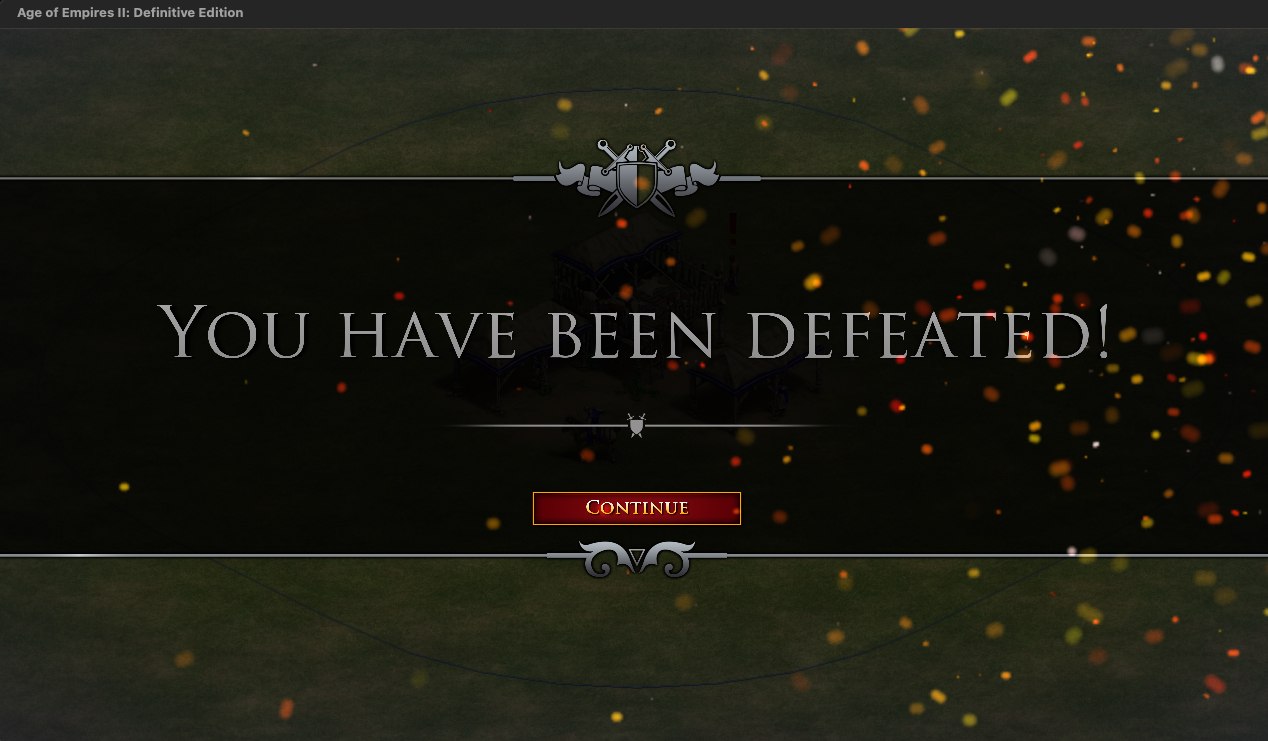
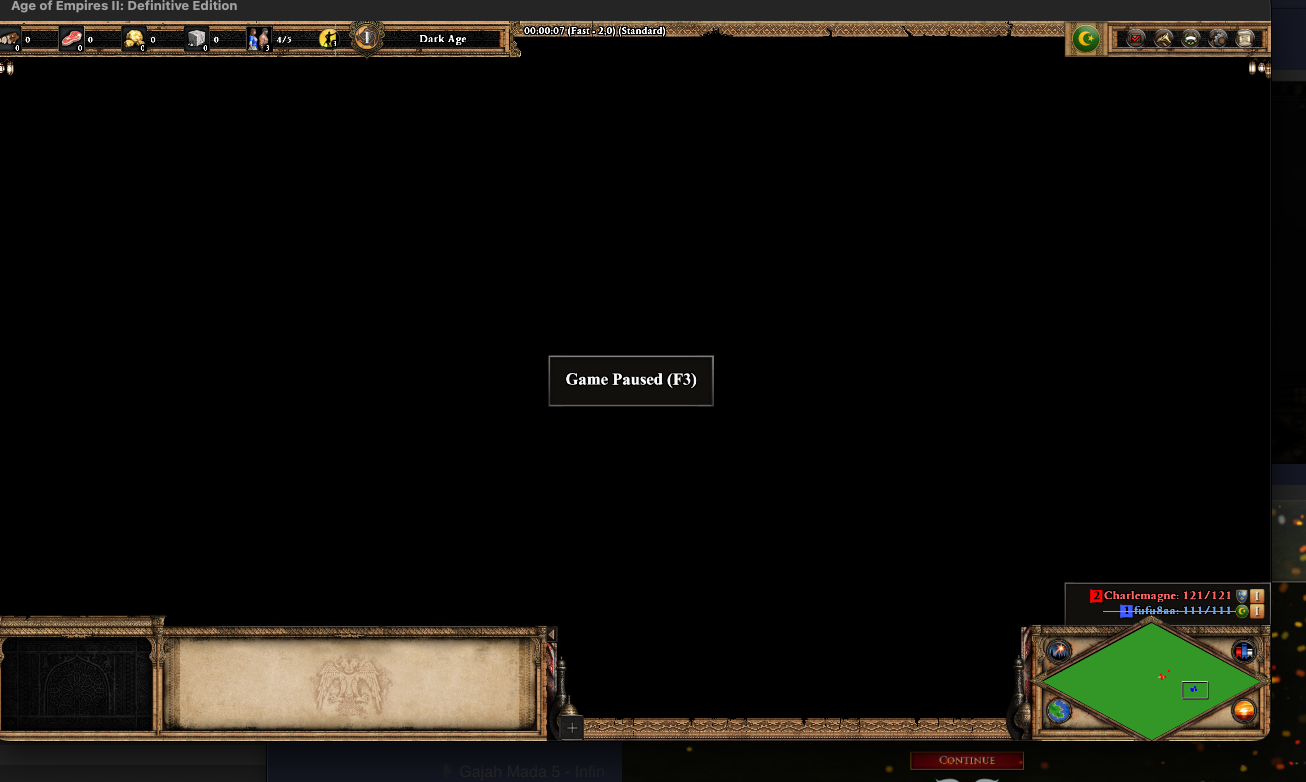
The “You have been defeated!” banner appears normally, with its Continue button. Pressing Continue is what breaks it: instead of the end-game “Consequences” parchment, the HUD is left on screen with the entire map area black and a “Game Paused (F3)” label, and the game stops responding altogether — no button can be clicked, the map cannot be scrolled, and it has to be force-quit. macOS writes a crash report for the process, so the game has faulted behind that frozen screen.
A completely blank scenario — nothing placed, no triggers — with the single letter A typed into those two fields reproduces it every time. Leaving the two fields empty and changing nothing else makes the freeze go away, so the two message fields are what triggers it, not the scenario’s content. It happens on victory as well as on defeat.
The same scenario file is fine on Windows: the end-game “Consequences” parchment renders the text correctly there.
Crash signature, from ~/Library/Logs/DiagnosticReports/Age Of Empires II-*.ips:
Exception:  EXC_BAD_ACCESS (SIGSEGV)
            KERN_INVALID_ADDRESS at 0x00000000000000f8
Thread:     IdxD3D11_0   (crashed)
Stack (image offsets into "Age Of Empires II", decimal):
            4780676 / 10927824 / 14182464 / 13499148 / 13502360
            2288544 / 2288272 / 2886040 / 531780
            then _pthread_start / thread_start
Hardware:   Mac17,6 (Apple Silicon, ARM-64)
OS:         macOS 27.0 (build 26A5406e)
Language:   zh_TW
The faulting thread is a rendering worker and the address is a null-pointer dereference, which fits both the timing (on dismissing the defeat banner, i.e. when the end-game text panel would be drawn) and the symptom (the world stops being rendered at all — a black map area under a HUD that is no longer updated).
FREQUENCY OF ISSUE
100% of the time / matches I play (ALWAYS)
REPRODUCTION STEPS
Here’s the steps to reproduce the issue:
- On macOS, open the Scenario Editor and create a new scenario. Place nothing — leave it completely blank.
- Go to the Messages tab and type a single letter
Ainto Victory and into Defeat. Leave Instructions, Hints, History and Scouts empty. - Save the scenario and leave the editor.
- Single Player → Scenarios → load that scenario → start the game. (A normal game launched from the menu, not the editor’s Test mode. A blank scenario still gives each player a default Town Center, so the game does not end on its own.)
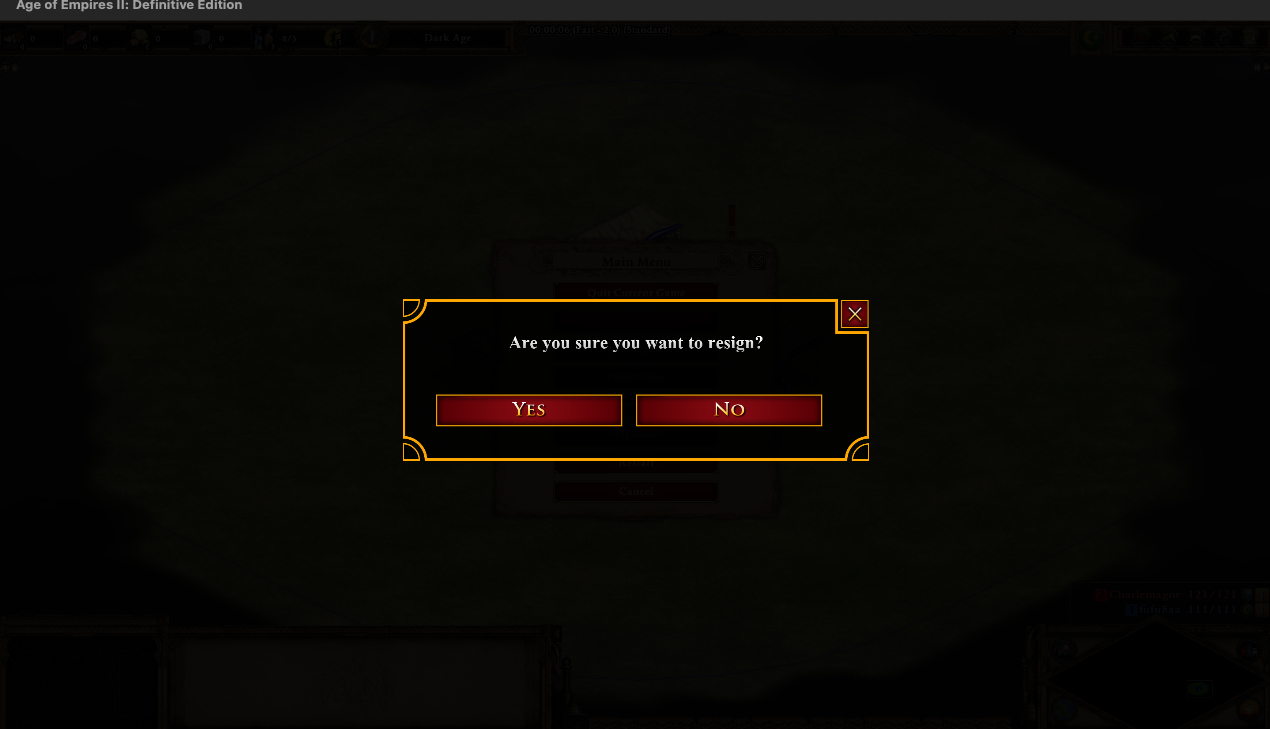
- Resign. The “You have been defeated!” banner appears normally.
- Press Continue on that banner.
- The game freezes: HUD still on screen, map area entirely black, “Game Paused (F3)” shown, and nothing responds — no buttons, no map scrolling. It has to be force-quit.
Control: repeat the above but leave Victory and Defeat empty. The game then reaches the end-game screen normally and keeps running.
EXPECTED RESULT
After pressing Continue, the end-game “Consequences” parchment should be displayed with the scenario’s Victory or Defeat text on it, and the player should be able to go on to the post-game statistics screen — which is what the same scenario file does on Windows.
IMAGE
GAME FILES (SAVE / RECORDING)
A.aoe2scenario (751 Bytes)