Issue:
Whenever an objective is updated, a notification appears displaying a status heading such as “New Objective”, “Objective Failed”, or “Objective Completed”.
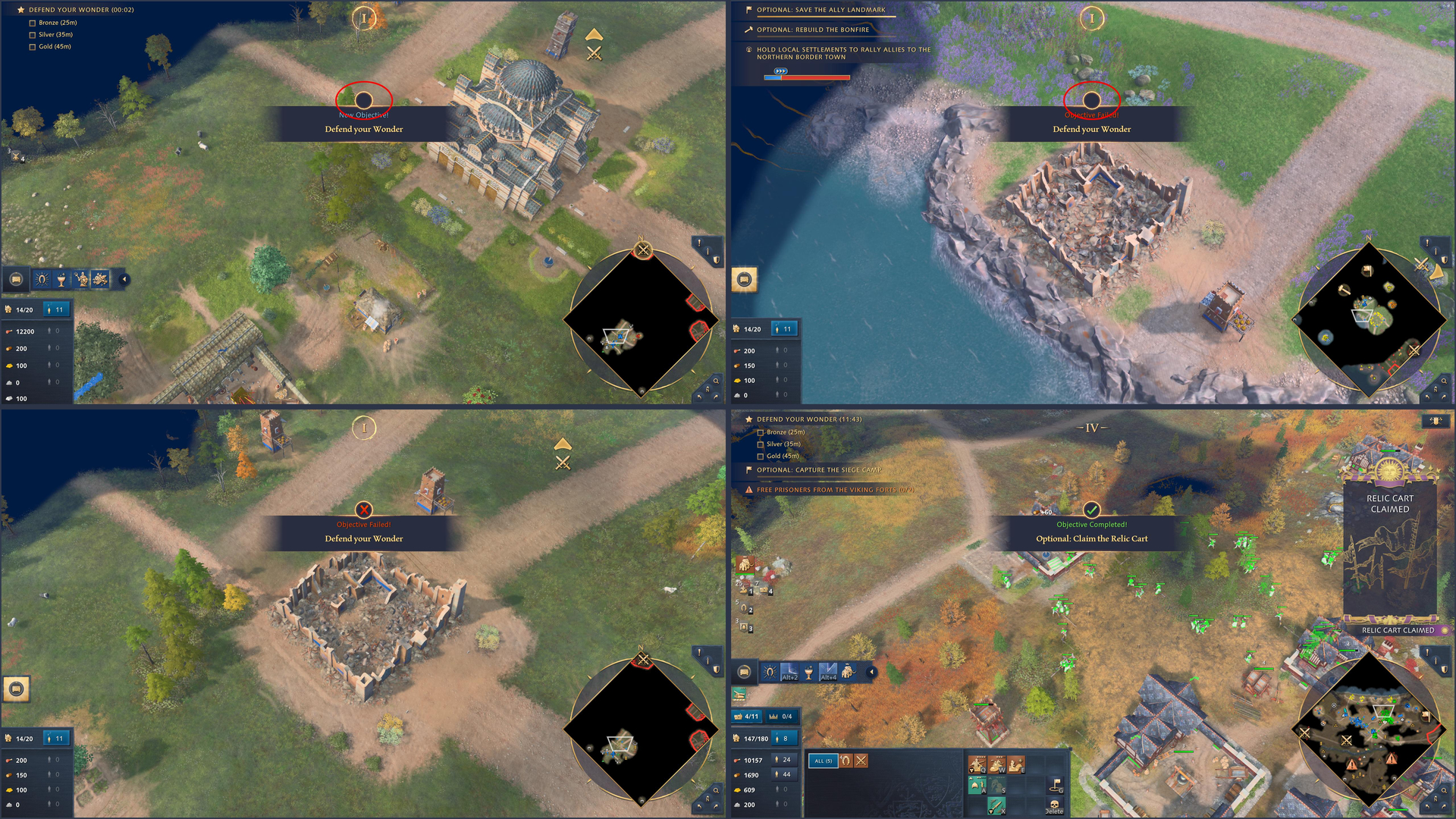
Above this notification, there is a circular indicator containing an icon representing the objective’s status. A green checkmark should be displayed when an objective is completed successfully, while a red X should be displayed when an objective fails.
However, these status icons are intermittently missing. Sometimes the icon is displayed correctly, while other times it does not appear at all.
Examples include:
- At the start of a match, the “Defend Your Wonder” objective is displayed as a new objective.
- When losing a match without earning a medal, the “Defend Your Wonder” objective fails.
- When completing an optional objective, such as “Optional: Claim the Relic Cart”, the objective is marked as completed.
Trigger Event:
An objective is updated, triggering a “New Objective”, “Objective Failed”, or “Objective Completed” notification.
Repro Steps:
- Boot the game.
- Wait for the main menu to load.
- Enter The Crucible (Solo or Co-op).
- Start a match.
- Observe the objective notification displayed at the start of the match.
- Continue playing until an objective is completed or failed.
- Observe the circular indicator above each objective notification and check whether the corresponding status icon is displayed.
Expected Result:
The circular indicator above each objective update notification should consistently display the appropriate status icon: a green checkmark for completed objectives and a red X for failed objectives.