 GAME INFORMATION
 These details are CRITICAL; DO NOT skip them or your issue may not be reviewed.
- GAME BUILD #: 179158
- GAME PLATFORM: Steam
- OPERATING SYSTEM: Windows 11
ISSUE EXPERIENCED
DESCRIBE THE ISSUE IN DETAIL (below). LIMIT TO ONE BUG PER THREAD.
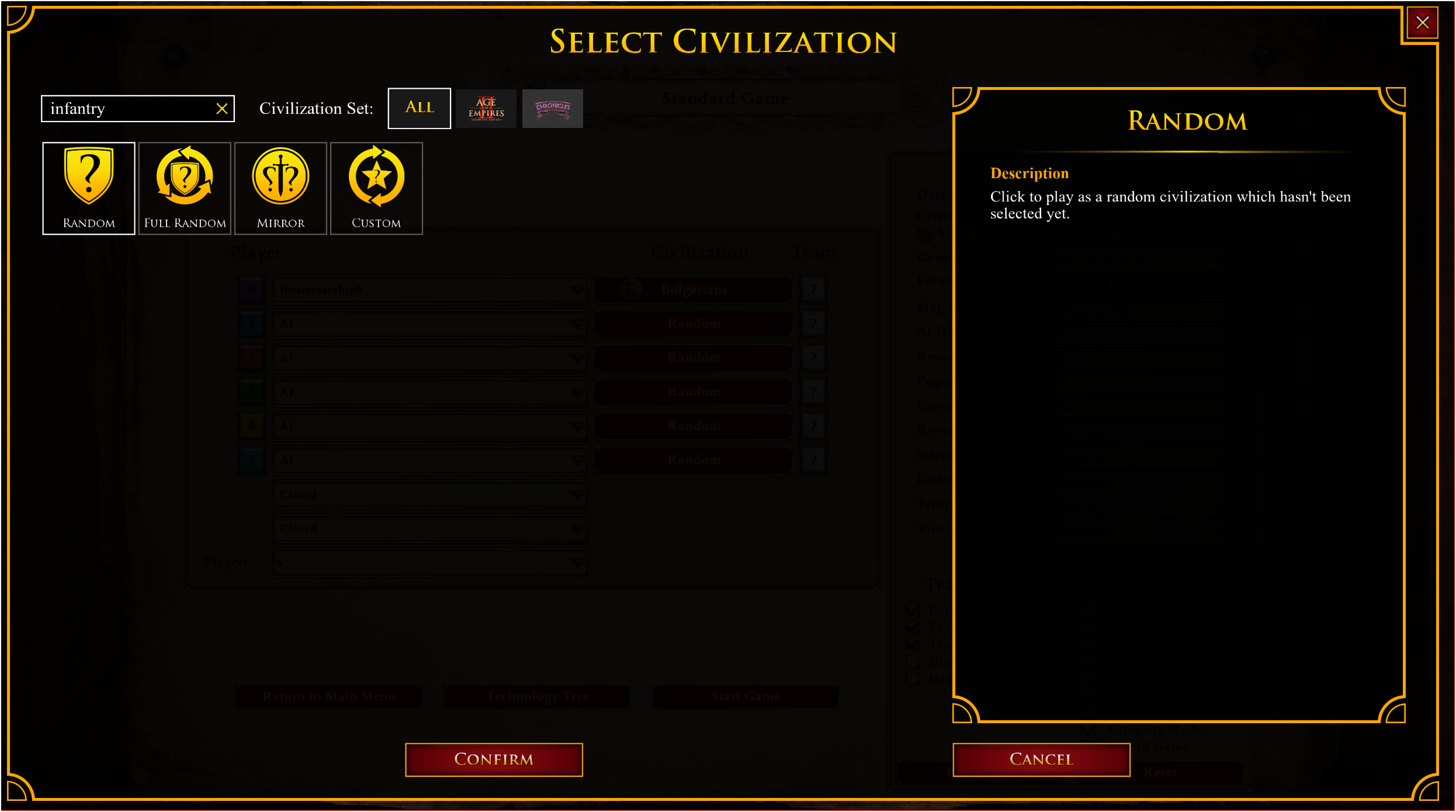
In the game lobbies when choosing a civilization, there is a search box. It used to be I could search for “naval” or “infantry” in that search box and I would see all the civilizations that were that “type”- now that isn’t working any more.
FREQUENCY OF ISSUE
How often does the issue occur? CHOSE ONE; DELETE THE REST!
- 100% of the time / matches I play (ALWAYS)
REPRODUCTION STEPS
List CLEAR and DETAILED STEPS we can take to reproduce the issue ourselves… Be descriptive!
Here’s the steps to reproduce the issue:
-
Launch game.
-
Click “Single Player”, then “Skirmish”.
-
Click “Skirmish”.
-
In the player list, in the row for your [player] civilization, in the Civilization column click the currently selected civilization option.
-
In the “Select Civilization” list, select the search box in the upper left corner and type the search term- for example, “infantry” or “naval”, etc.
EXPECTED RESULT
What was SUPPOSED to happen if the bug you encountered were not present?
Search results return all results for search term- eg if I search “infantry”, I’m going to get all results that are “Infantry Civilizations”.
IMAGE
ALWAYS attach a PICTURE (.jpg, .png, .gif) or VIDEO (.mp4, YouTube link) that highlights the prob lem.
GAM
E FILES (SAVE / RECORDING)
Attach a SAVE GAME (.aoe2spgame) or GAME RECORDING (.aoe2record) of the match where you encountered the issue. Link it below if using an external file ser vice.
