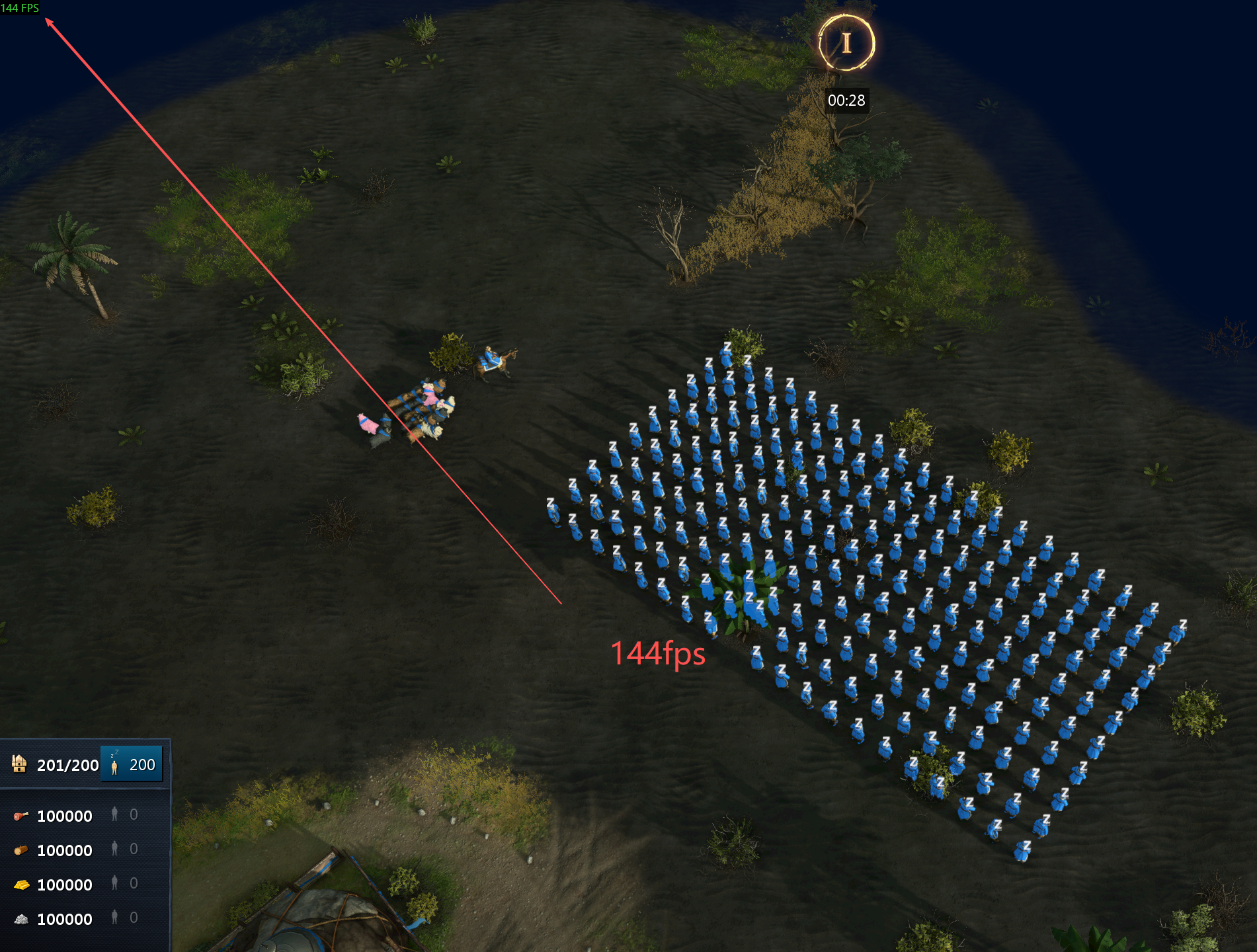
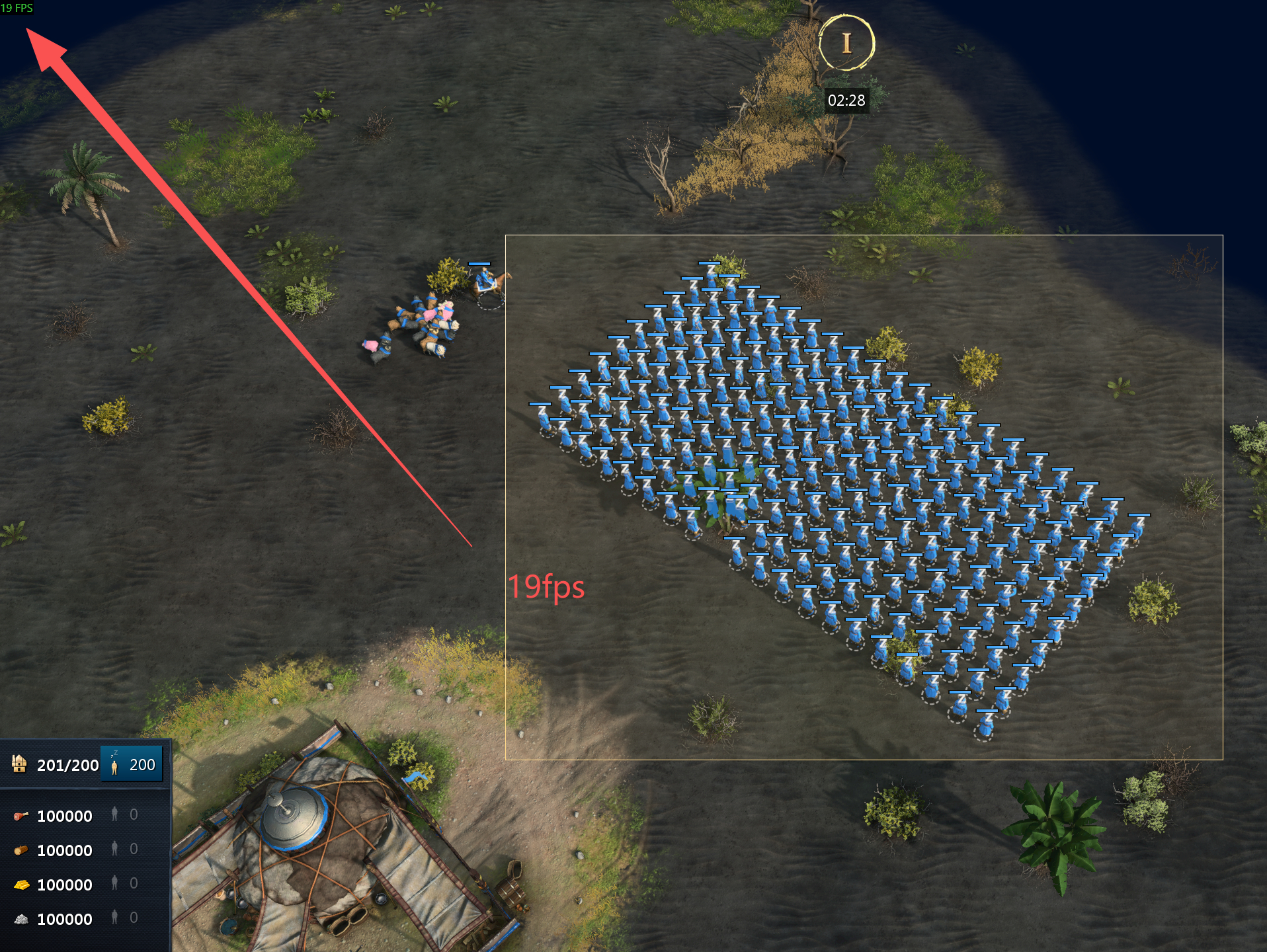
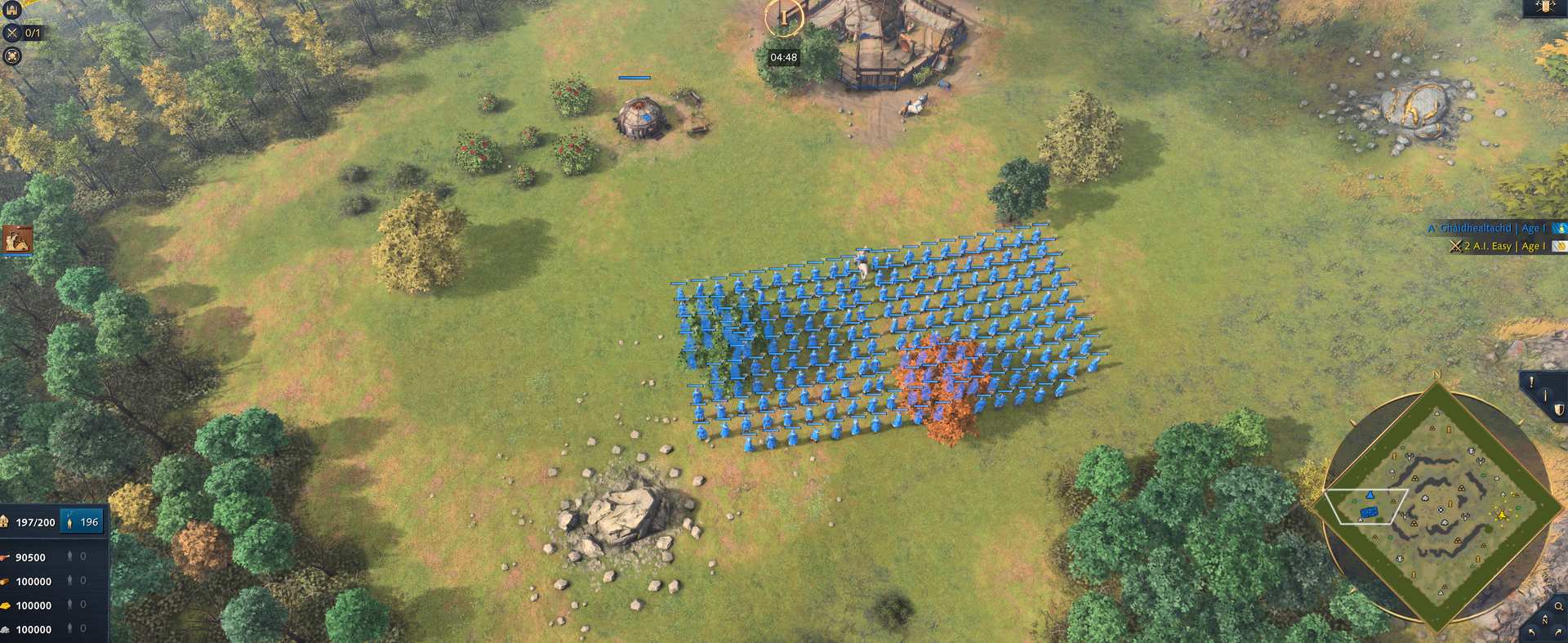
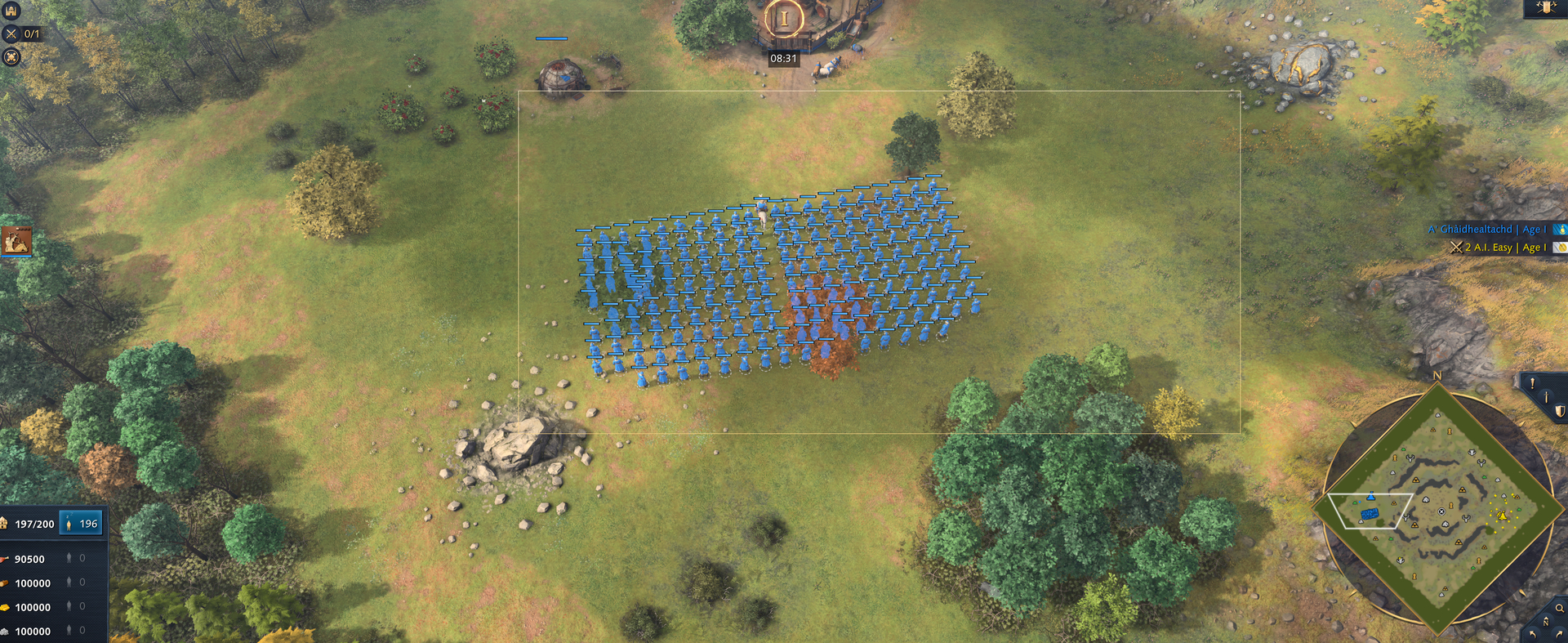
When you select a large number of units (150-200), the game’s frame rate drops significantly. On my hardware, it drops from 144 to 60. If you just drag the mouse to put them in the selection box instead of directly clicking to select them, the frame rate can even drop below 20, I am very sure that this problem did not exist before this Patch 15.2.7380 update.
Oh, there is still one thing, did you know about the memory release problem? if a unit dies in the game, even though its corpse has disappeared, it’s still there, still has an ID and model, when so many corpses fill up my PC’s memory, the game will crash.
Well, I guess 1MB can roughly store two corpses.
I believe many people have encountered this problem, we have to restart Aoe4 after one game end, to free up the memory, can you believe that? restart the game after one match end, because Aoe4 will only release a portion of memory after one match ends.
And also most games can’t handle around 20000 or more deaths because most people are still using 16GB RAM.
The game is running through Steam and Proton GE-Proton10-25
This applies to both drab box selecting large number of units AND selecting large groups of units using hotkeys such as “Select all melee infantry on screen” as shown in the included video clip.
I can freeze the game completely if I hold the hotkey, as demonstrated here.
Steps to reproduce:
Get into a game, skirmish vs AI with cheats enable to meet conditions quicker
Train a lot of units (50+ should make the issue obvious)
Drag box select them and notice the hit to FPS.
Issuing a move command before trying to select highlights how the game freezes even without using FPS monitoring tool, notably the game audio keeps on going, but the whole graphical logic seem to hitch.
Alternatively, use “Select all military on screen” or similar hotkey to trigger the issue, and try holding the hotkey down for a prolonged duration to completely freeze the visuals.
I have totally the same problem with the FPS DROP just tested it in custom lobby against AI. The more units is on the screen the worse it gets when i use the select box. Patch 15.2.7380 update. I use steam for AOE4.
This needs to be fixed ASAP, yesterday in team game I noticed really big stattering and FPS drops, and I did not know why… I think this is the reason, not sure how it acts when there are also enemy units or friendly units.
We are aware of an issues causing FPS drops periodically during some matches, specifically around farms or when selecting a large number of units. Our team is actively investigating this issue.
Just FYI in-case you guys haven’t caught it, for some of us it’s a consistent framerate drop - regardless of selecting unit/farms.
GPU 4070super - Drive up to date
CPU 7600x
32GB DDR5
Windows 11
5120x1440 resolution
Had a consistent 120 Frames before settings maxed out, Sitting at max 50-60 now, even from start of match where very little selection or farms exist. Generally feels “stuttery”
Have you added the relic bug(you can see the video I posted) and ram release issue to the list?
I saw so many people playing a game for about 30 minutes and out of nowhere crash to the desktop without any warning or error message, I believe most of the this situation occurs when the number of fallen units reaches a certain amount, filling up the computer’s Ram, meaning the memory cannot be released.
Company of Heroes 2 and Company of Heroes 3 use the same engine as AoE4, but those two games didn’t have memory release issues, you guys really need to check the code carefully.
Can attest that the FPS issue related to unit selection has been fixed on my end, I don’t know about other fps issues that have been brought up in the thread, but from the “main” one the fix seems successful