I’ve been hugely enjoying playing AOE4 on Xbox with a controller. Over the last year or so I’ve been compiling notes for quality of life improvements that might allow us to be even more competitive against mouse and keyboard players:
For Delhi specifically: I think the right D pad i.e. Support should prioritize the scholars that aren’t garrisoned in buildings as typically they’re the ones out gathering relics and need to be escorted back to safety. Currently it seems to select scholars at random and there could be 5-10 garrisoned in a mosque that have to be cycled through first before getting to the ones out in the field.
I’ve posted this on reddit but I’ll cross post it here: LT + A,B,X or Y isn’t mapped to anything. Controller players are already at a significant disadvantage because there aren’t as many buttons as a keyboard, but this combination of buttons LT + anything is very quick to press. I’ll piggyback on this thread posted earlier last year ( Addressing Xbox-Specific Issues – Improvements Needed for Controller Players ) and say that to address point 3 in their wishlist we could have “Select all Melee on screen” mapped to LT + A and “Select all Ranged on screen” mapped to LT+B (or something like that). Keyboard players already have this option to select specific types of military units on screen, and we’ve got a button combination thats just waiting to be programmed. Other options I’ve thought of for LT + X or Y is to assign them to control groups 1 and 2 respectively. That way we have a really fast way to assign to a control group without having to go to a radial menu, which takes time.
Update: I should clarify that according to https://support.ageofempires.com/hc/en-us/articles/42699436918420-Age-of-Empires-IV-Default-Controller-Layouts#h_01K8S7WG41W5VA2QAG1Z0D2S49 those combinations are “technically” mapped to various unit selection commands i.e. add /remove units but this is only if you already have units selected. If no units are selected these combinations do nothing.
On the subject of time, speed is obviously key the more competitive you get in ranked ladder. The minimap on console opens far too slowly. Again we’re at a disadvantage compared to mouse and keyboard players who can just move the mouse over the minimap. I think there should be an option in the UI menu to disable the minimap animation so it goes from small to large in 0 seconds.
Last one is more of a question. When D pad up is pressed (i.e. villager selection) and there are no idle villagers is there any built in logic in the code to select a villager? It seems to be random at the moment. Maybe villager nearest to the selection would make sense?
2 Likes
Good ideas  i like it.
Age of Empires 2 also has many interesting and good ideas in this regard (selecting wounded units via key combinations to bring them to safety, etc.).
However, there are many more essential things that need to be fixed first.
-
The quick menu (for production) needs to be adjusted (see my last post).
-
Currently, it’s not possible to send a priest to a relic and return it to the church. This only works if there’s at least one relic already present. (It works in Age of Empires 2.)
-
Controller support on PC (to make it accessible to the general public)
I actually think your point #2 must have been fixed recently. I was playing last night and I seemed to be able to shift click to a relic and then back. Not sure if it was quietly patched because it was definitely an issue before.
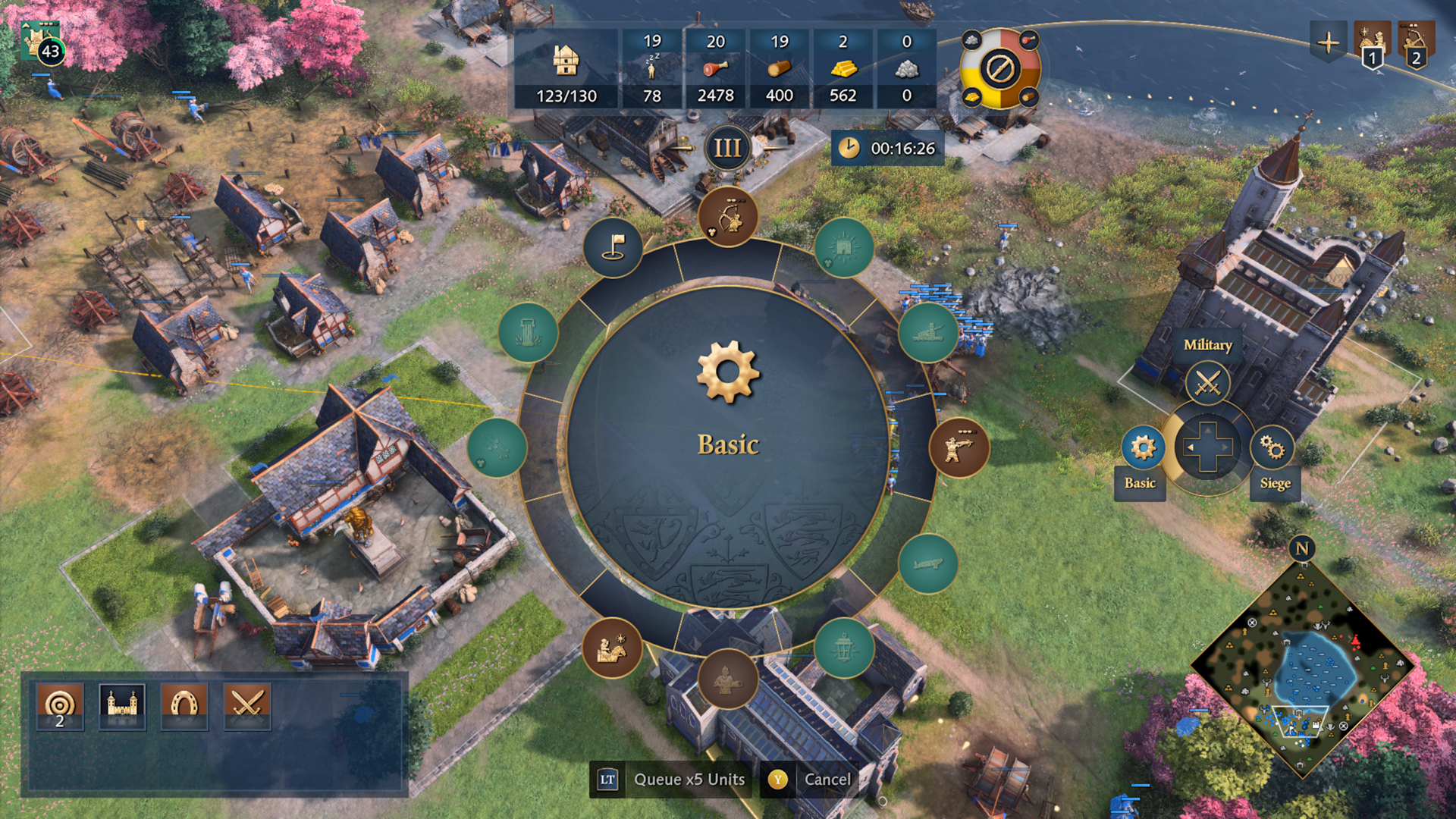
I also 100% agree on the quickmenu (link to your post here: Quickmenu (Controller) need to be optimized ). There doesn’t seem to be much consistency from civ to civ. On some civ’s it gets totally overcrowded with tech’s, which I agree should be their own separate ‘tab’ i.e. right on D pad or something. Then the other night I was playing as House of Lancaster and the quick menu looks like this:
Where you have separate ‘tabs’ for military, siege etc. The problem with this approach of separating them out into separate buttons is it starts to resemble the ‘buliding’ quick menu where you can just select specific buildings. I think it’s LT → right on D pad and you can see archery ranges, barracks etc. However, some civ’s the LT → right on D pad (building quickmenu) doesn’t work. Byzantines is a good example of this. The mercenary house doesn’t show up at all when you do LT → D pad right. So you cannot reach Longbowman production for example this way, you have to use the military quickmenu.
The challenge here is speed. How do you minimize the number of buttons sequences that a player has to press before reaching the desired unit or tech. To this end I almost always prefer the military quickmenu because it only takes one button to be able to produce the units I need.
1 Like
Everything has its pros and cons, but such essential things have to work, otherwise the entire quick menu is useless. Soldiers always take precedence over upgrades. Searching for a single building takes significantly longer.
- I just tested the pickup thing with the monks, at least it’s not working for me yet. (only after the relic has been preserved)
Yep you are right. Maybe this is a bug. I recorded some video (View Capture | Xbox) but yes if there is already a relic in the monastery you can shift command for the next relic to be dropped back off. If there is no relic already at the monastery you cannot shift command back (only to nearby)
1 Like