AoEURLInstaller_Steam.exe – System Error
• The code execution cannot proceed because VCRUNTIME140_1.dll was not found. Reinstalling the program may fix this problem.
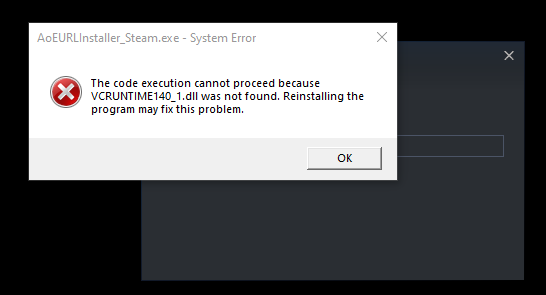
• It pops after trying to log in by clicking on desktop icon.
• Tested uninstalling and reinstalling files as well as running the verification of integrity of the files. It keeps coming.
how can i fix this.
Game Version: 101.101.37650.05061880
- Build:
System Information
  Time of this report: 5/30/2020, 22:31:29
         Machine name: OPTIPLEX-7020
           Machine Id: {D5DC227E-B8B7-4938-A76B-A3BE2EFA78F0}
     Operating System: Windows 10 Pro 64-bit (10.0, Build 18363) (18362.19h1_release.190318-1202)
             Language: English (Regional Setting: English)
  System Manufacturer: Dell Inc.
         System Model: OptiPlex 7020
                 BIOS: BIOS Date: 05/30/19 02:14:39 Ver: A18.00  (type: BIOS)
            Processor: Intel(R) Core(TM) i5-4590 CPU @ 3.30GHz (4 CPUs), ~3.3GHz
               Memory: 16384MB RAM
  Available OS Memory: 16326MB RAM
            Page File: 7815MB used, 24894MB available
          Windows Dir: C:\WINDOWS
      DirectX Version: DirectX 12
  DX Setup Parameters: Not found
     User DPI Setting: 96 DPI (100 percent)
   System DPI Setting: 96 DPI (100 percent)
      DWM DPI Scaling: Disabled
             Miracast: Available, with HDCP
Microsoft Graphics Hybrid: Not Supported
DirectX Database Version: Unknown
DxDiag Version: 10.00.18362.0387 64bit Unicode
- Platform: Steam
-
Operating System: Windows 10
2020-05-30T07:00:00Z → 2020-06-28T07:00:00Z