 GAME INFORMATION
 These details are CRITICAL; DO NOT skip them or your issue may not be reviewed.
- GAME BUILD #: Version 101.103.22566.0 (#153638)
- GAME PLATFORM: Microsoft Store
- OPERATING SYSTEM: Windows 11
ISSUE EXPERIENCED
DESCRIBE THE ISSUE IN DETAIL (below). LIMIT TO ONE BUG PER THREAD.
After updating my game to the version mentioned above, graphics looked so bad.
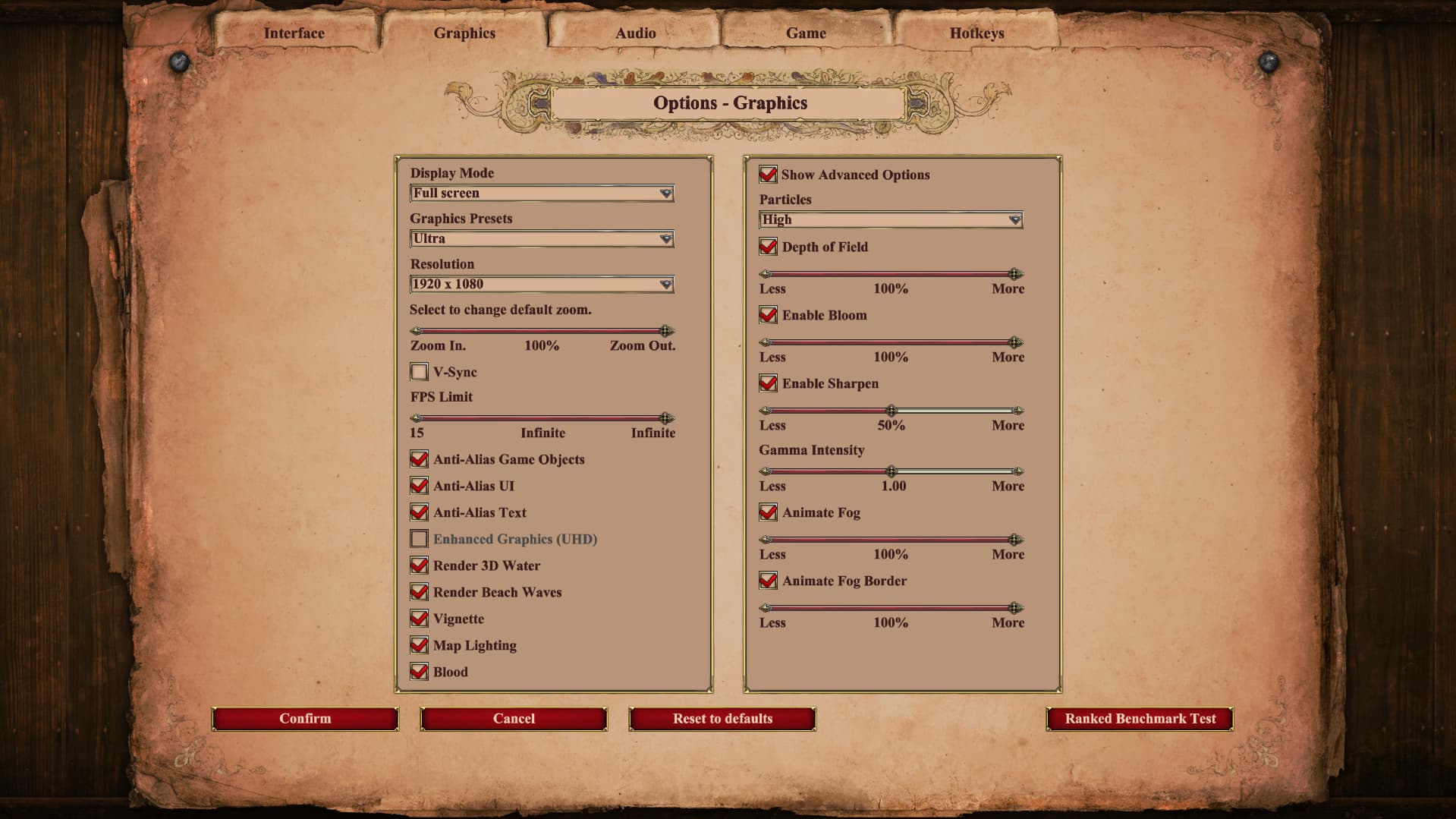
I looked at the “Graphics” tab in game options & found out that the “Enhanced Graphics (UHD)” is unticked and greyed out.
I tried uninstalling the game and all DLCs and redownloading, still same issue.
FREQUENCY OF ISSUE
How often does the issue occur? CHOSE ONE; DELETE THE REST!
- 100% of the time / matches I play (ALWAYS)
REPRODUCTION STEPS
List CLEAR and DETAILED STEPS we can take to reproduce the issue ourselves… Be descriptive!
Here’s the steps to reproduce the issue:
- Update game to Version 101.103.22566.0 (#153638)
EXPECTED RESULT
What was SUPPOSED to happen if the bug you encountered were not present?
I should be able to enable the “Enhanced Graphics (UHD)” Graphics option.
IMAGE
ALWAYS attach a PICTURE (.jpg, .png, .gif) or VIDEO (.mp4, YouTube link) that highlights the problem.
GAME FILES (SAVE / RECORDING)
Attach a SAVE GAME (.aoe2spgame) or GAME RECORDING (.aoe2record) of the match where you encountered the issue. Link it below if using an external file service.
- N/A