If you make a “Private” mod, will it still generate a thread in forum? If so, why? That defeats the purpose somewhat of wanting to mark it “Private”. Also if you mark it '“Private”, can you still point friends to it so they can download it? What about marking it as “Unlisted” instead of “Private”?
The page is pretty unhelpful with explaining the purpose and outcomes of marking Private or Unlisted, and gives no clear way or option to ‘not’ post a thread in the forum, which should be our right.
1, but you can’t find it in mod browser in-game, you have to log in on the website via Steam (or Xbox depending on where you own the game) and access it via a shared link
Think of private as just a cloud storage of your local mods.
That part is confusing, though. Right above the checkbox it seems to state, unequivocally, that a forum thread will be created whether you like it or not. It looks like a statement of fact. And then the checkbox is simply giving you the choice to allow ‘discussion’ or not on that newly created thread; as in the thread will be locked upon creation if the checkbox is disabled. (We seem to have no choice in the thread getting created or not. The way things are worded and presented, it will get created.)
So, two different things.
You’re positive/sure that disabling “allow discussion” will result in the mod ‘not’ getting posted in the forum as a new thread?
Private = Only the person that published the mod can access it.
Unlisted = Anyone with the link to the mod can access it and subscribe but it won’t show up in search - so yes, appropriate for sharing with friends.
Allow Discussion - If selected, it will create a forum thread for the mod but only if it’s set to public visibility. If not selected or private/unlisted are selected, no forum thread will be created.
I know a lot of AoE2 private data gets publicized through 3rd party API connections and such. Like, you play games that you think are private but then later find out some 3rd party API has somehow data on your Wins/Losses, who you played against, recorded games sometimes, and so on.
Mods are not the same, right? I just thought of this added wrinkle and was just wondering. Would be nice if private mod details are not made available on some server for 3rd party APIs to tap into and publicize on some sort of ‘AoE2 insights’ type of web page. I bet that mods don’t fall into this realm, but thought I’d double-check since nothing can be assumed these days regarding privacy
I’ve always found it odd that gameplay data and match recordings in a Microsoft game can be queried and aggretated by non-Microsoft 3rd parties, whether you like it or not (i.e., no ‘opt out’ ability or defaulted setting)
The stats/match apis are publicly available where the mods api requires authentication. A reference to the usage of a mod might appear in match data, but our access permissions would still apply. I don’t know if that would ever happen for a private mod, but if it did, someone discovering its mod id wouldn’t allow them access.
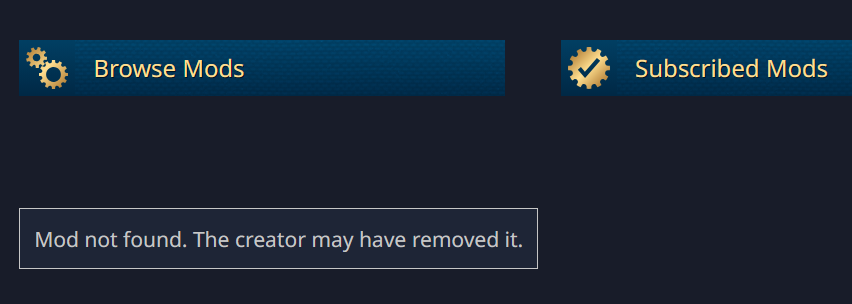
It gave me no link to share. The URL for the page I landed on after trying to publish is fruitless. Just says, “Mod not found. The creator may have removed it”… which I didn’t. Not even I can access it.
It didn’t work because the mod failed to publish successfully. It had a desktop.ini file in it. I’m not sure why it didn’t give you an error, so will have to look into that.
Thank you! I saw that .ini file in the folder after the upload failure and half-wondered if that could have caused, but really didn’t think it would have. I think I later deleted it, but didn’t try to upload again. Hmm, now I wonder if that is why my local imports were failing, too, as seen here:
I can try/test some day soon
EDIT: Now that I’m in front of my PC, I actually see a “Wwise.dat” hidden file in one of the directories, too. No idea why that’s there, but maybe it got in the way, as well. And I got the mod to upload… but see my next post, if ever have time to receive feedback surrounding this
I guess I thought there would be random URLs created when doing this, to have some semblance of privacy or “I don’t want to share,” but, instead, the URL it creates is simplistic, sequential, highly predictable, and findable. Anyone can easily guess and access with extreme ease.
For example, just pick a random mod URL (or find the latest one published), and start adding or subtracting numbers:
../mods/details/44958
../44959
../44960
../456500
../456498
../456497
etc. Easily access unlisted mods that some people probably thought they were making private when publishing
Darn. I’ll just use direct file transfer for mods I want unpublished/private